Roles & permissions
Roster has a two-layer access-control model so you can give each user exactly what they need — and nothing more:
- Permissions — which pages/functions a user can use.
- Data scope — which companies/sites a user can see.
Both are enforced server-side, not just hidden in the UI: a restricted user hitting an
API endpoint directly gets 403.
Built-in roles
Every user has one of three built-in roles:
| Role | Sees | Can operate devices | Manage |
|---|---|---|---|
| Viewer | Dashboard, Devices | — | — |
| Technician | Dashboard, Devices | ✔ | — |
| Admin | Everything | ✔ | ✔ (always full access) |
Custom roles (permission sets)
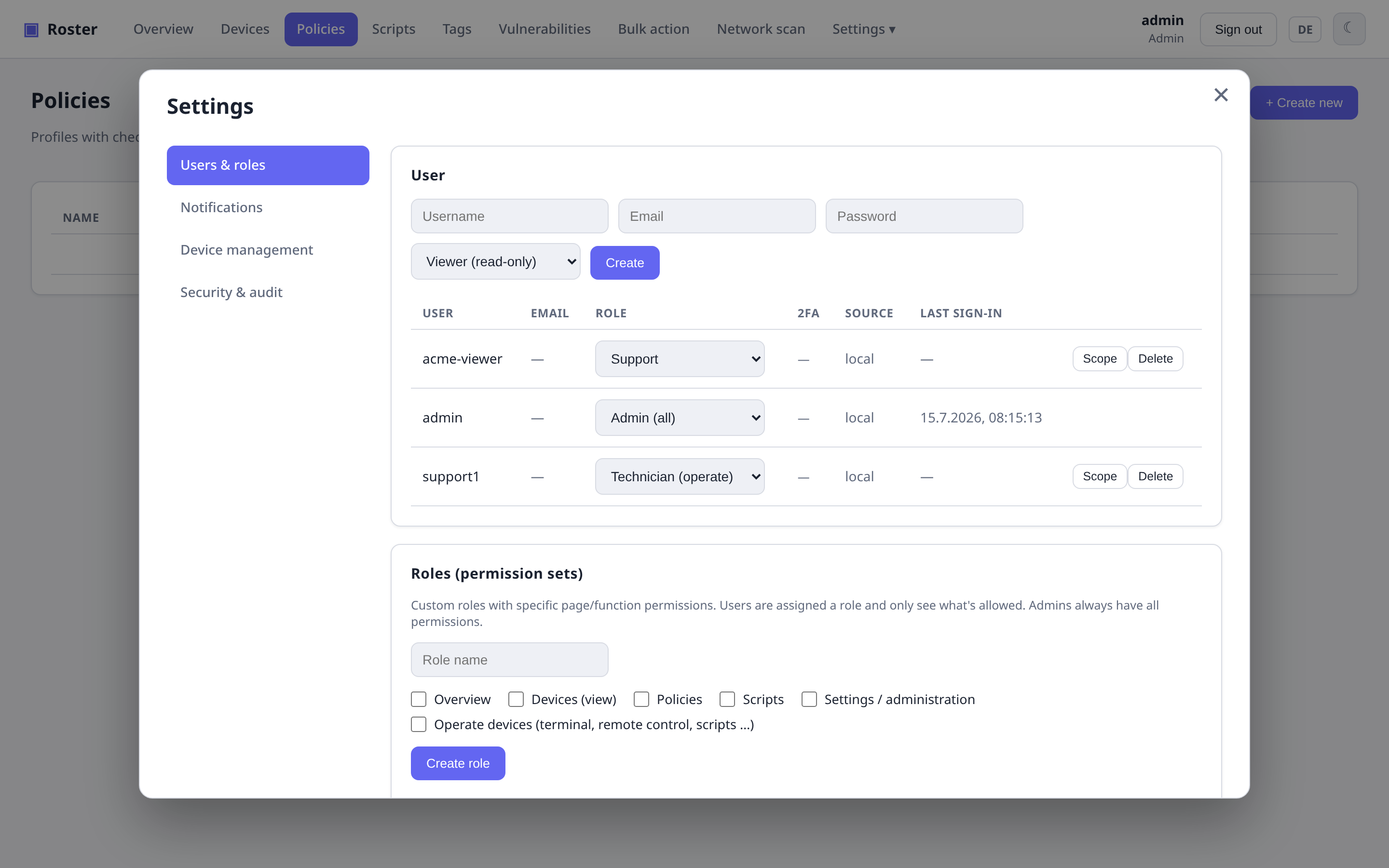
For anything in between, create a custom role under Settings → Users & roles and tick exactly the permissions it should grant:
Overview,Devices (view),Policies,Scripts,Settings / administrationOperate devices(terminal, remote control, run scripts, reboot, …)
Assign the role to a user from the role dropdown. Example: an Auditor role with only Overview + Devices (view) — read-only, no operating, no settings.
Admin-only management stays admin-only
User, role and enrollment-token management is always restricted to real admins — a custom role can never grant the ability to create admins. You also cannot remove your own admin role or delete the last remaining admin.
Per-user data scope
Independently of permissions, you can limit a user to specific companies or sites. Click Scope on a user and tick the companies (whole company) and/or individual sites they may see:
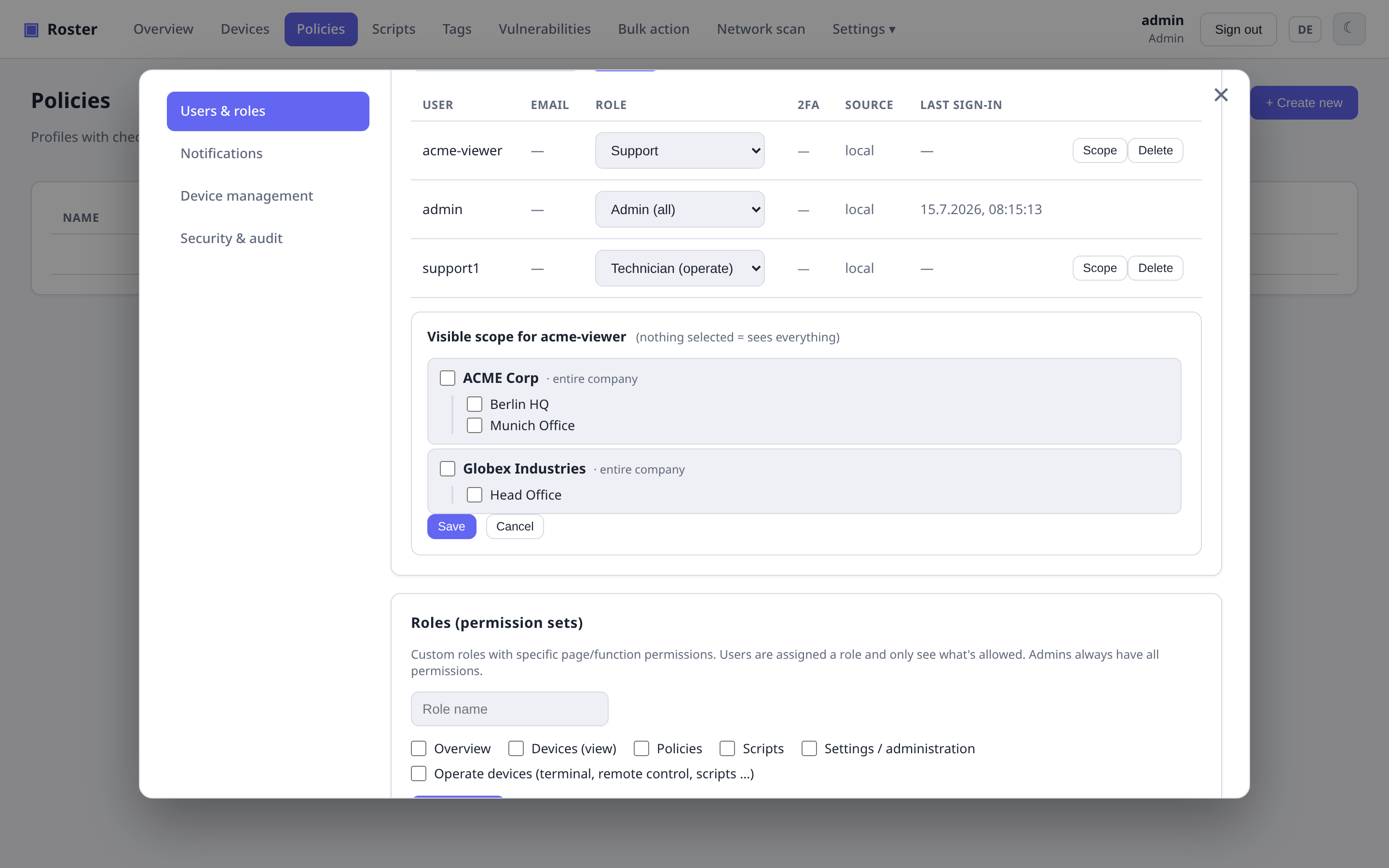
A scoped user then only sees the devices, dashboard counts, search results and the
company tree for their assigned companies/sites — everything else is hidden, and any
attempt to open a device outside their scope is blocked with 403. Unassigned devices are
invisible to scoped users.
- Nothing selected = sees everything (the default, unchanged behavior).
- Admins are never scoped — they always see the whole fleet.
How it fits together
User ──> built-in role (viewer/technician/admin)
     └─> optional custom role  → effective page/function permissions
     └─> optional data scope    → visible companies/sites
Existing users are unrestricted by default, so turning this on changes nothing until you explicitly assign a custom role or a scope.
Policies reach other devices
A policy's backup entries can run a follow-up script on a different device than the one being backed up. Editing policies therefore implies the ability to execute scripts across devices.